
Services
Workflow Audit & Improvement Plan
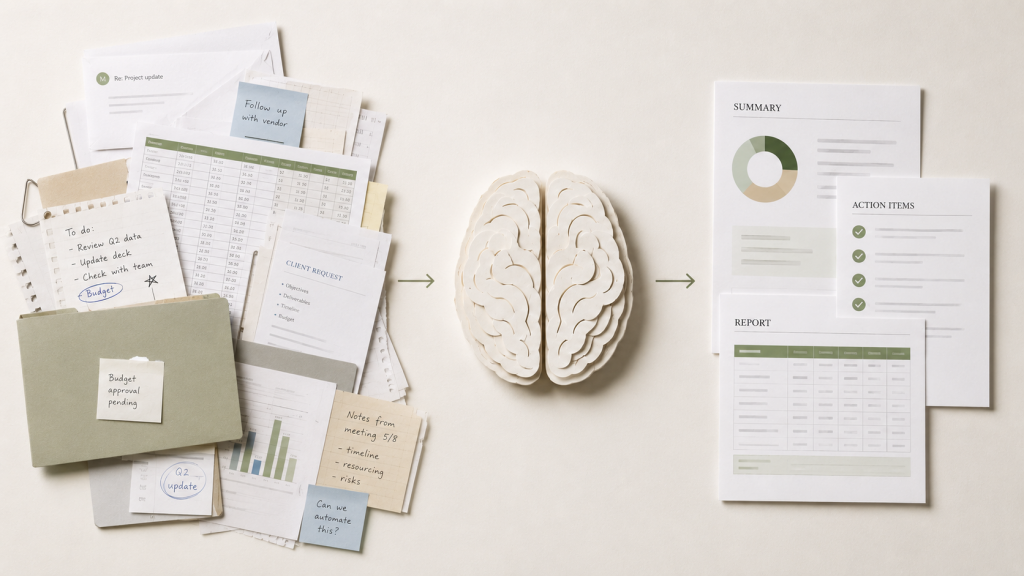
Turn messy, manual ways of working into a clear plan for improvement. The current workflow is reviewed from start to finish, covering the steps, handovers, tools, repeated tasks, and points where time, clarity, or responsibility is lost.
Before any implementation work begins, you receive a practical improvement plan that shows what can be simplified, automated, removed, or improved.
The deliverables include:
- Current workflow map and documentation
- Bottlenecks, delays, and manual handovers identified
- Repeated work, unclear responsibilities, and weak points made visible
- Prioritised improvement plan with quick wins and recommended next steps

Example project – Restoring Clarity in a Growing Business
As a small company grows, its owner can gradually lose visibility over who is doing what, where work is delayed and which recurring activities consume unnecessary time.
Using a structured workflow audit, key processes would be mapped, bottlenecks identified and improvement opportunities prioritised by effort, impact and urgency.
The client would receive a clear improvement plan and retain full control over which recommendations to implement, whether independently or with further support.

Excel & Data Process Cleanup
Turn business-critical spreadsheets into clearer, more reliable working tools. Existing Excel files, reports, trackers, and data flows are reviewed for errors, duplication, manual effort, and weak points.
The goal is to make your data easier to enter, update, check, report, and trust without turning a simple business tool into an overcomplicated system.
The deliverables can include:
- Review of existing spreadsheets, reports, and data flows
- Cleaned-up structure, formulas, and validation rules
- Streamlined data entry and reporting views
- Practical handover notes for ongoing use
EXAMPLE PROJECT – Automated ECU Software Planning
A five-person automotive project team manually transferred software requirements, changes and supplier updates into Excel.
Using the source system’s export function and an automated Excel template, daily manual updates were replaced with one structured weekly import. Reporting became faster, supplier tracking improved and the team gained capacity for additional project work.
AI Workflow Implementation
Turn a validated AI opportunity into a practical workflow your team can use. Once the right use case has been identified, the solution is designed around your existing process, tools, data, and responsibilities.
The deliverables include:
The focus is on useful AI support that saves time without removing human control. This can include drafting, summarising, extracting information, checking documents, preparing reports, or supporting routine decisions.
- Scoped AI workflow design based on an identified use case
- Setup using your existing tools where possible
- Prompt structure, templates, and usage guidance
- Testing, refinement, and quality checks
- Handover notes so the workflow can be used safely and consistently
EXAMPLE PROJECT – AI-Assisted Content and Approval Workflow
A four-person technical consulting team needed to publish regularly on LinkedIn, but content creation and marketing were outside the team’s core strengths.
An n8n workflow generated content drafts on a schedule, created and updated tasks in aWork through its REST API, and guided each draft through human review. Reviewers could approve, reject, request changes to the original idea, or instruct the AI to revise the draft.
Once approved, the content was posted automatically. The workflow reduced the time spent writing and coordinating posts while ensuring that people remained in control of everything published.

Small internal tools
Turn a manual process into a simple internal tool your team can use every day. When spreadsheets, emails, forms, or repeated checks are no longer enough, a lightweight tool can make the process easier to manage without turning it into a large software project.
The solution is designed around the way your team already works, using existing tools where possible and keeping the setup practical, maintainable, and easy to hand over.
The deliverables include:
- Scoped design for one internal tool or process helper
- Build using suitable existing tools or lightweight custom development
- Forms, trackers, dashboards, automations, or data views as needed
- Testing, refinement, and basic quality checks
- Handover notes so the tool can be used and maintained confidently
EXAMPLE PROJECT – Multi-Channel Order and Inventory Tool
A small online retailer managed sales across eBay, Amazon and its own WordPress shop. Orders, inventory, shipping labels and product listings had to be coordinated across several disconnected platforms.
A custom internal tool synchronised stock and orders, supported SKU-based picking, generated shipping labels through carrier APIs and automatically relisted available products. It also used sales data to support inventory reordering decisions.
The solution reduced manual administration, prevented avoidable stock issues and made daily order fulfilment faster and more reliable.
Ongoing Improvement Support
Keep your processes, automations, spreadsheets, and internal tools working as your business changes. After an audit or implementation project, ongoing support gives you regular check-ins, practical advice, and small improvements without the cost of hiring a full-time specialist.
This is a flexible monthly support arrangement for businesses that want continued help with process questions, automation ideas, tool adjustments, and new bottlenecks as they appear.
The support can include:
- Monthly review and planning sessions
- Adjustments to existing automations, spreadsheets, or internal tools
- Support for new process questions, blockers, and improvement ideas
- Prioritisation of future improvements and quick wins
- Light documentation updates and handover support

EXAMPLE PROJECT – Continuous Improvement Through Reserved Support
After an initial Excel automation improved software planning and reporting, the project team continued to uncover smaller workflow issues, inefficient spreadsheets and new automation opportunities.
With ongoing support available, these problems could be reviewed and improved as they appeared rather than being postponed or treated as separate projects.
The arrangement extended the value of the original solution, reduced recurring administrative work and gave the team reliable access to improvement expertise without needing to initiate a new project each time.